
Controlled widgets
Widgets take the current value and return (new_value, changed). The view never writes to the
model.

It is a small ui framework library build with clay and raylib, for Odin.
The whole library is one package: kiln. Apps import it once (no raylib, no clay) and write
their UI as plain procs with if blocks:
import "lib:kiln"
view :: proc(m: ^Model, out: ^[dynamic]Msg) {  if kiln.card("Profil") {    if t, ok := kiln.text_field(m.name, "Name"); ok {append(out, Set_Name{t})}    if kiln.submitted() {append(out, Save{})}
    if v, ok := kiln.slider(m.volume, 0, 100); ok {append(out, Set_Volume{v})}
    if kiln.actions() {      if kiln.button("Löschen", .Danger) {kiln.show("confirm")}      if kiln.button("Speichern") {append(out, Save{})}    }  }}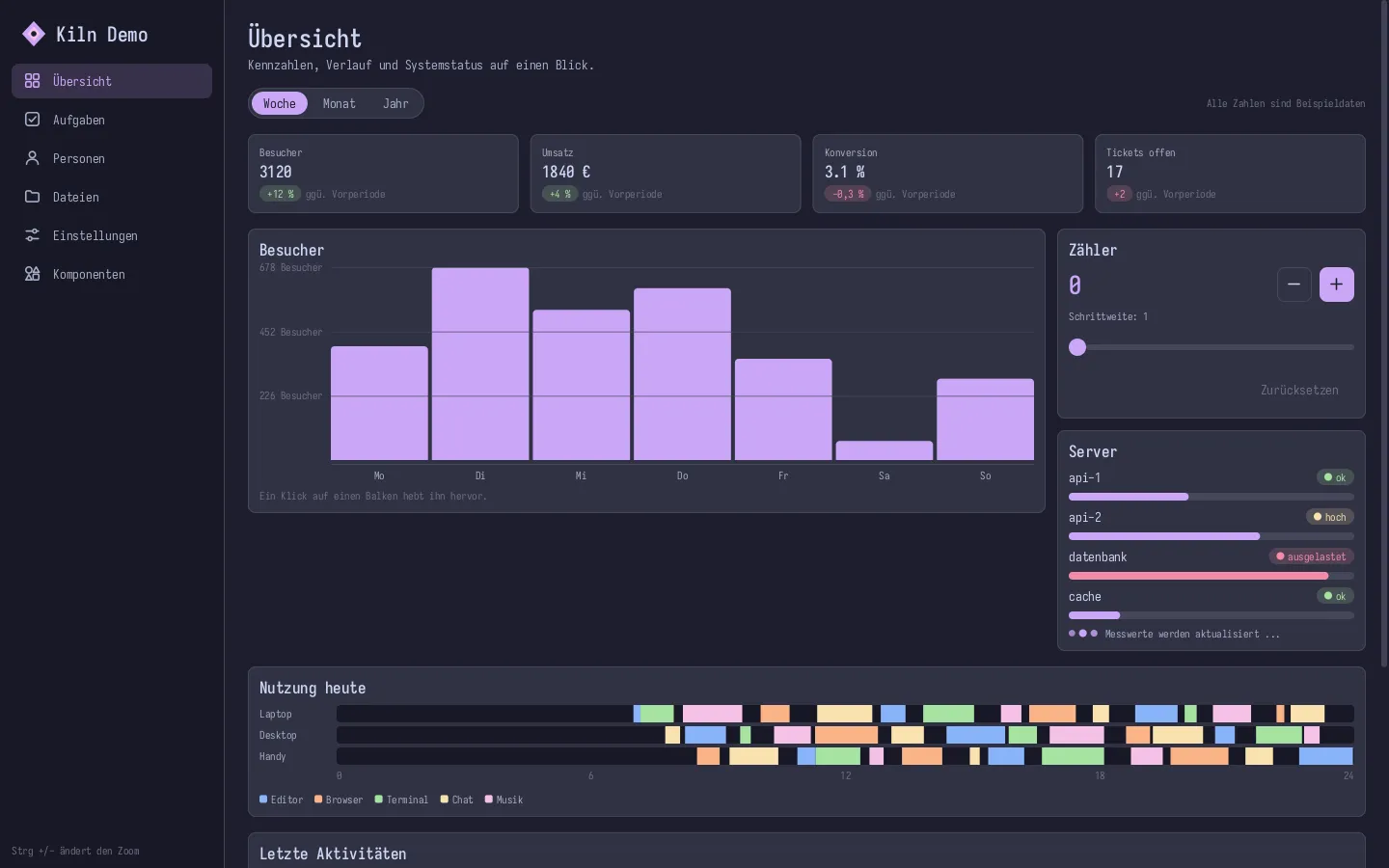
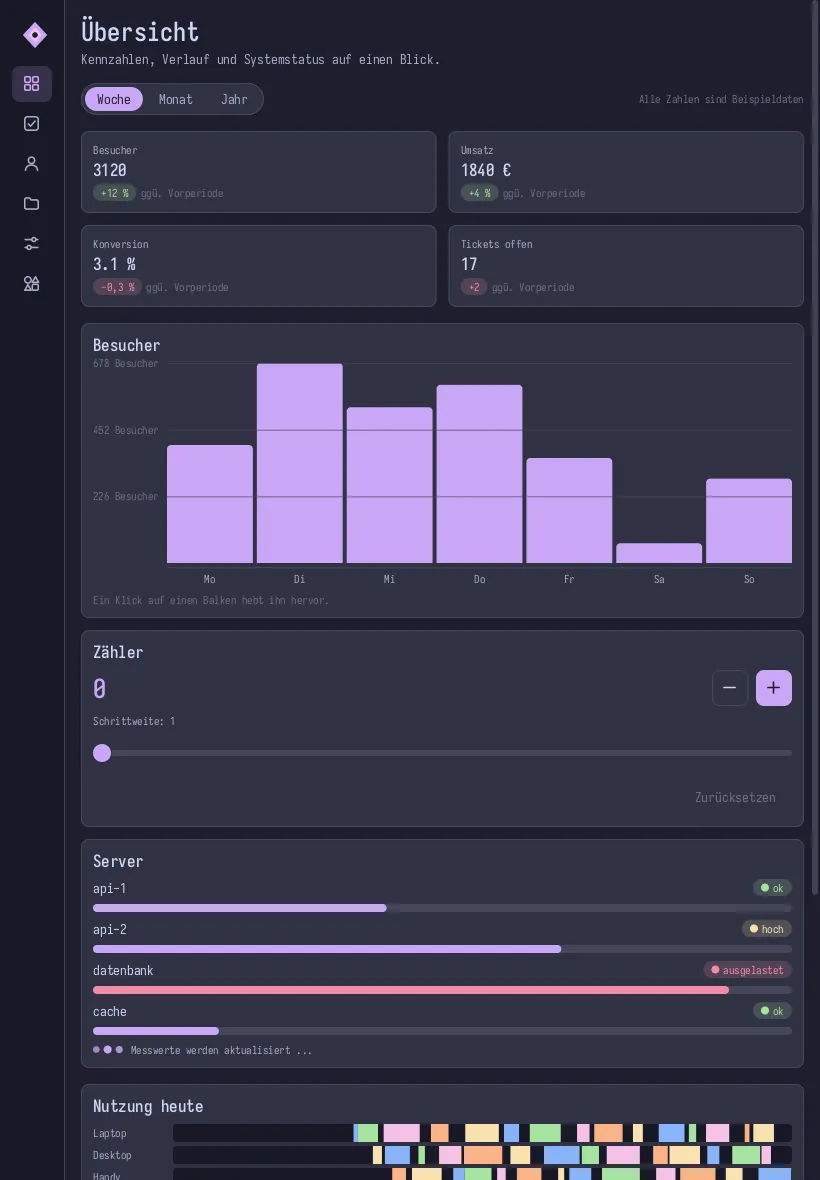
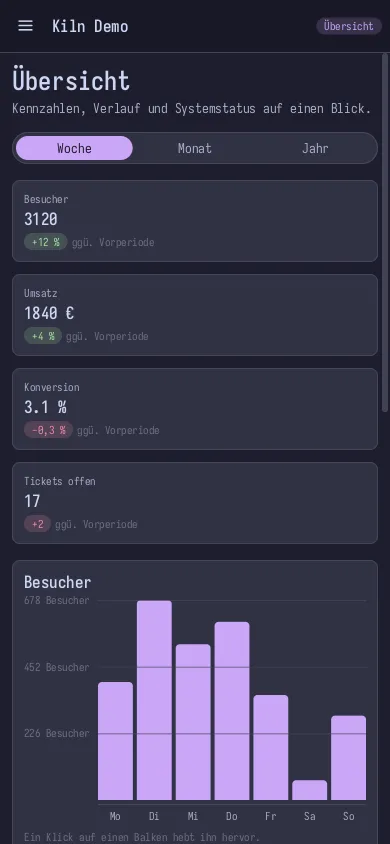
This is the demo (odin run example -collection:lib=.) at desktop, tablet and phone size. The
same code, the layout adapts by itself.
Controlled widgets
Widgets take the current value and return (new_value, changed). The view never writes to the
model.
Elm style app loop
init, update, view. Messages go in, the model changes in one place.
Responsive
grid, adaptive, field, actions, table and dialog adapt to the space they get.
Snapshots
Render the app headlessly into PNGs at phone, tablet and desktop size.